
STAGING BUILD — Internal testing only. Not a production release.

Download SQL2Snow

Download SQL2Snow

Community Edition · Windows 10/11 · 64-bit

Run SQL2Snow locally against your SQL Server environment. Assess migration complexity, estimate effort, and identify the technical drivers that matter before migrating to Snowflake.

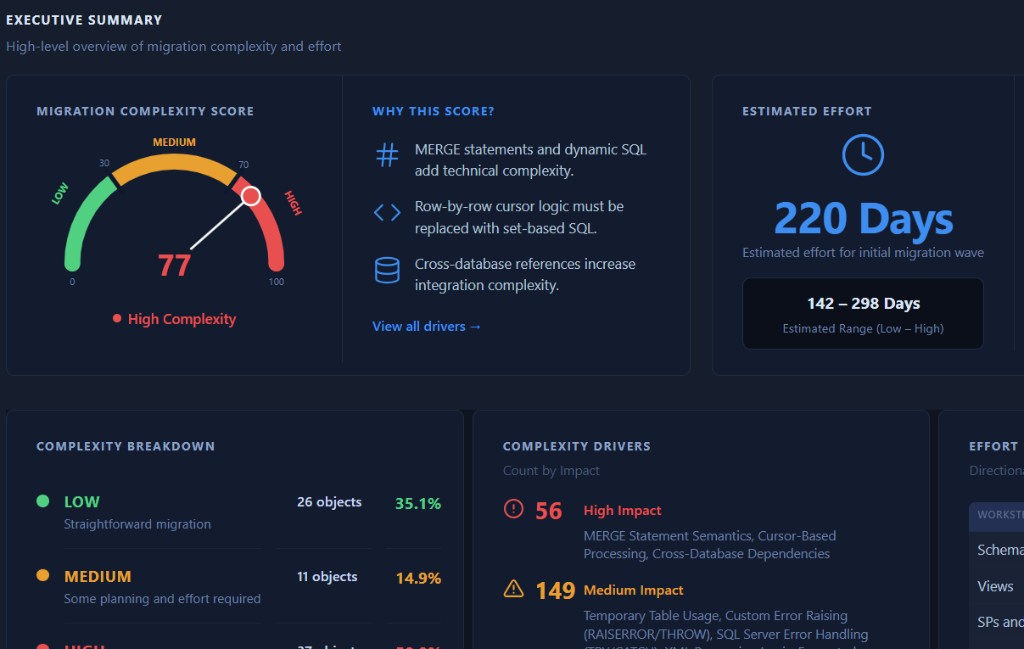
SQL2Snow HTML assessment report executive summary showing complexity score, estimated effort, and key drivers
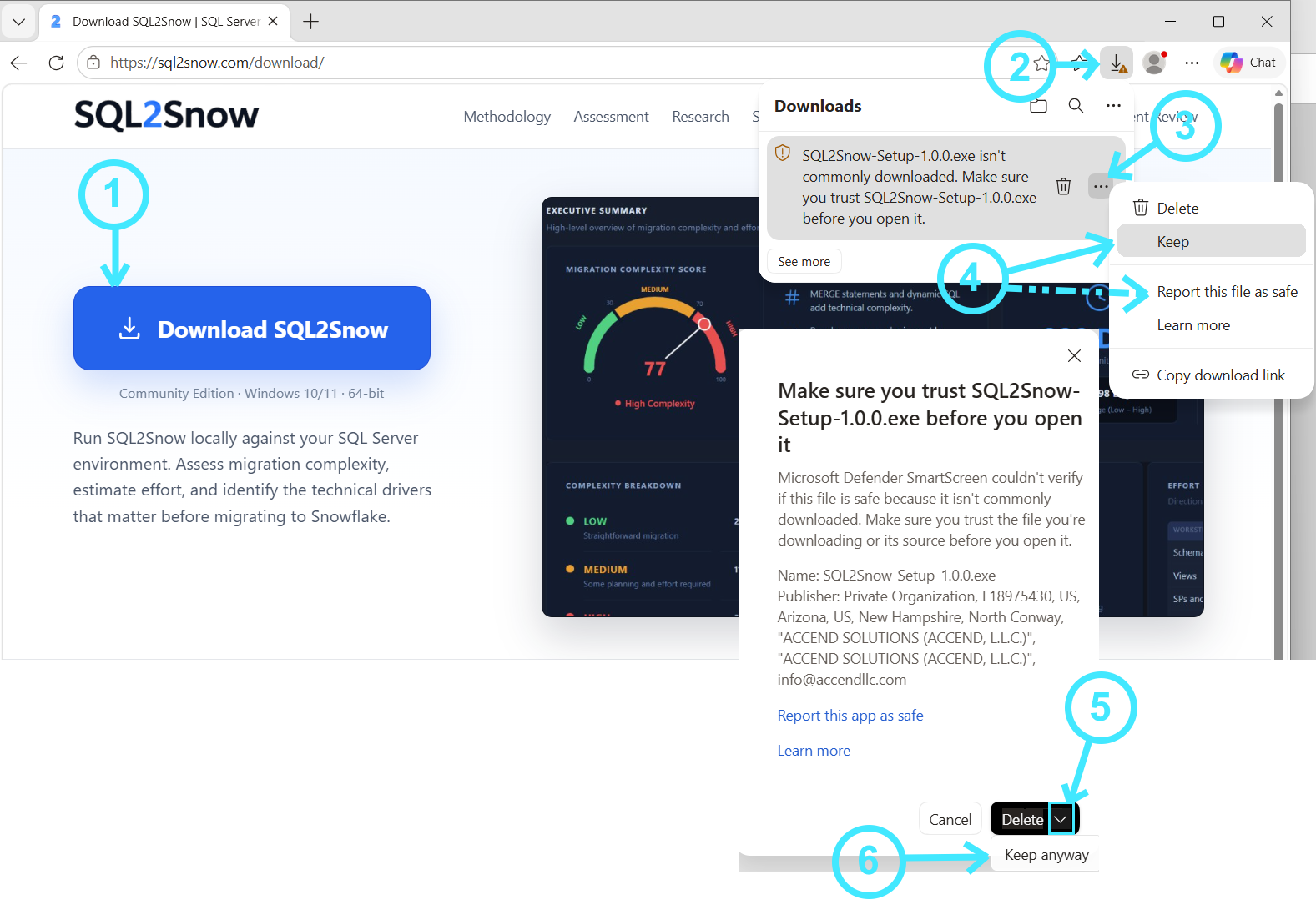
Annotated Microsoft Edge screenshot showing six numbered steps to keep the SQL2Snow installer download
  1. Click Download SQL2Snow

  2. Open your Downloads panel

    Click the Downloads icon in the top-right of Microsoft Edge.

  3. Open the menu

    Click the three-dot menu (...) next to the installer file name (for example SQL2Snow-Setup-1.0.0.exe).

  4. Select Keep

    Choose Keep from the menu.

  5. Open the dropdown menu next to Delete

    In the confirmation dialog, click the dropdown next to Delete.

  6. Select Keep anyway

    Choose Keep anyway to download the file.

Run locally

Your data stays on your systems. No data leaves your environment.

Clear assessment

Understand migration complexity, effort, and key technical drivers.

Actionable insights

Identify migration challenges and practical recommendations.

System requirements

  • Windows 10 or Windows 11, 64-bit
  • SQL Server 2012–2025
  • Network connectivity to the SQL Server instance being assessed
  • Permission to read database metadata and object definitions
  • No Snowflake connection required

What you get

  • Migration Complexity Score, Estimated Effort, and Low–High range
  • Object inventory with complexity flags
  • Top complexity drivers and recommendations
  • Executive-ready HTML assessment report
  • Draft Snowflake DDL export